Open-source slicer · FDM 3D printers
Every layer, exactly where you want it.
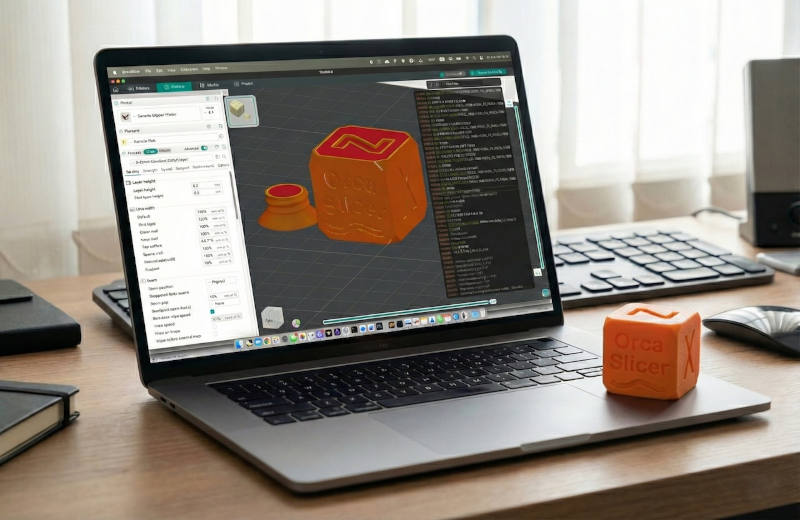
OrcaSlicer is a free, open-source slicer for FDM 3D printers. Calibration tools built in, per-feature control over every print move, and tuned profiles for hundreds of printers — on Windows, macOS, and Linux.
Feature set
Built for people who tune their machines
OrcaSlicer treats print quality as an engineering problem: measure, adjust, and control — down to individual walls, seams, and layers.
Dial in any printer
Stop downloading test STLs. The calibration lab is part of the slicer, so tuning a new printer or filament takes minutes, not evenings.
Built-in calibration suite
Flow rate, pressure advance, temperature towers, retraction, tolerance, and max volumetric speed tests — generated and evaluated inside the slicer.
Adaptive bed mesh
Probe only the region your print occupies, so first layers stay accurate without a full-bed level on every job.
Mouse-ear brims
Automatic, easy-to-remove brims that hold corners down on warp-prone prints — adhesion without the cleanup.
Control every layer
The difference between a good print and a great one is a handful of settings most slicers don't expose. OrcaSlicer exposes them.
Wall and seam control
Tune outer-wall spacing and lay scarf seams so seam lines all but disappear from your parts.
Smart supports
Intelligent overhang detection and precise support placement for complex geometry — strong where needed, easy to remove.
Sandwich mode & polyholes
Alternate wall and infill order for cleaner overhangs, and print holes that measure what the CAD says they should.
Per-feature overrides
Set speed, layer height, pressure, and temperature independently for walls, infill, supports, and more.
From desk to printer
A slicer should fit into your setup, not the other way around — whatever machines you run.
Network printing
Send jobs to and monitor printers running Klipper, PrusaLink, or OctoPrint — no SD-card shuffle.
Profiles for hundreds of printers
Tuned presets for Bambu Lab, Prusa, Creality, Voron, and many more, maintained together with the community.
A familiar workspace
Drag, drop, arrange, slice. If you've used a modern slicer, you already know your way around this one.
Open source
Yours to inspect, build, and improve
OrcaSlicer is licensed under AGPL-3.0 and developed in the open by SoftFever and hundreds of contributors. No account, no telemetry, no lock-in — the code is the proof.
Downloads
Get OrcaSlicer
Free for every platform. All builds are published on our GitHub Releases and linked from this site only.
Nightly builds, system requirements, and install instructions live on the Download page. Never install OrcaSlicer from a third-party website.
FAQ
Frequently asked questions
Is this the official OrcaSlicer website?
Yes. The official OrcaSlicer sites are www.orcaslicer.com and cloud.orcaslicer.com. Beware of fake websites.
Is OrcaSlicer free and open source?
Yes. OrcaSlicer is free and open-source software. You can view and verify the source code and releases on our GitHub.
Where do I download OrcaSlicer?
Use the Download page or our official GitHub releases page. Do not download installers from third-party websites.
For vendors
Partner with OrcaSlicer
Printer manufacturers and filament vendors can apply for OrcaCloud account verification or official profiles in OrcaSlicer with over-the-air (OTA) update support. Both programs are free of charge — status is granted on review, never sold.