Getting Started
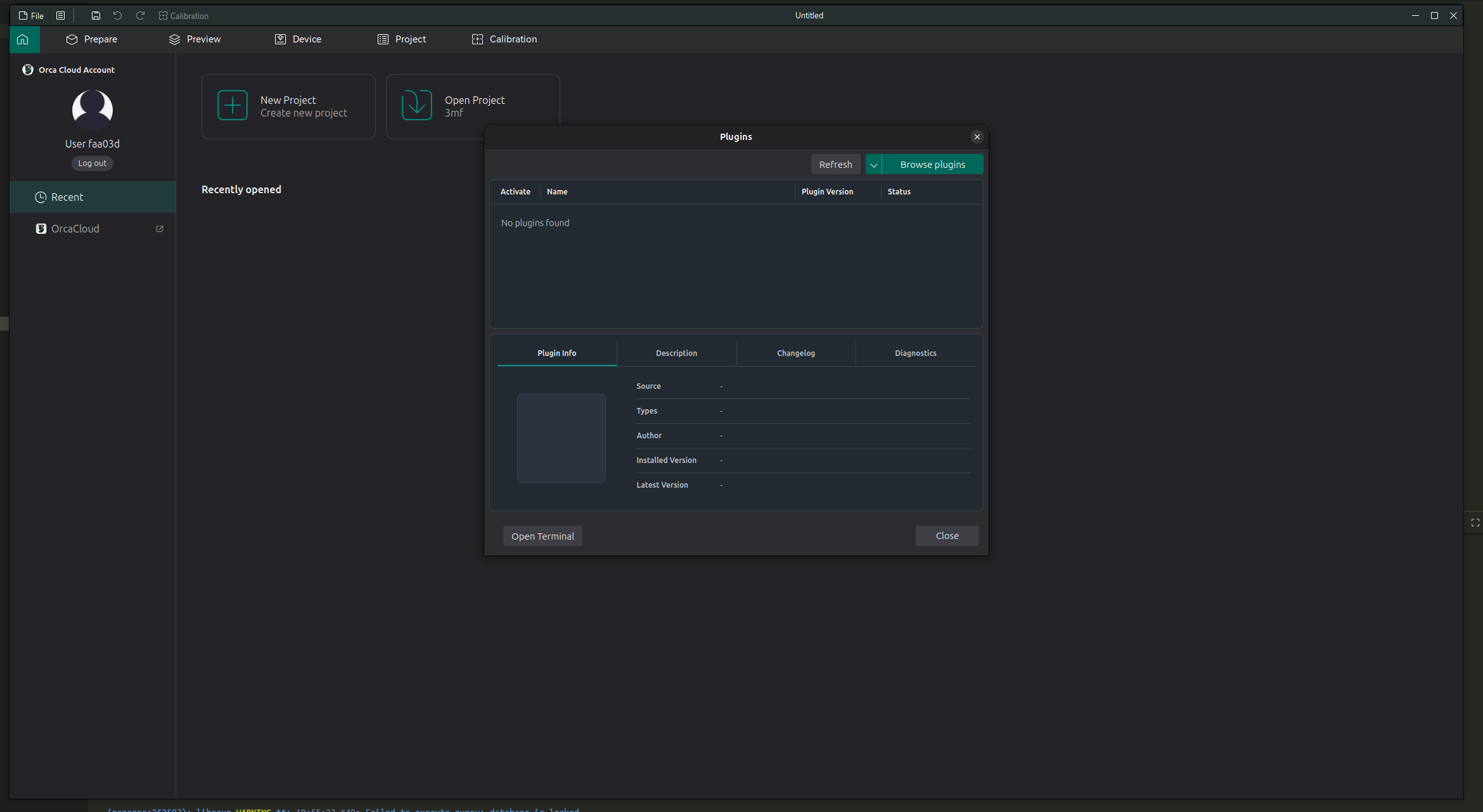
Plugins add extra features to OrcaSlicer. They are managed from the Plugins window.
Open the Plugins Window
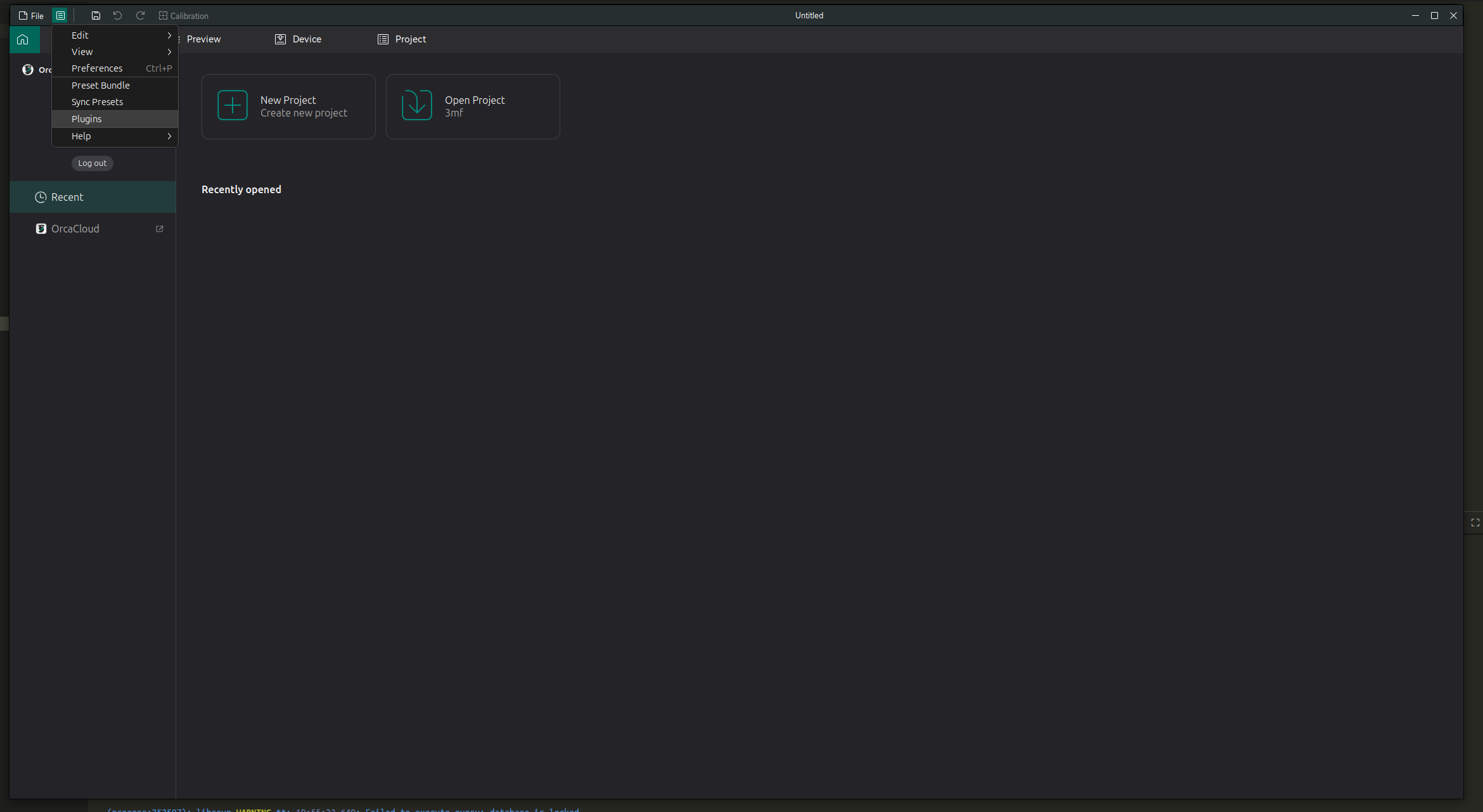
- Open the main menu.
- Click Plugins.
The Plugins window shows installed and available plugins. The upper table lists plugins, and the lower section shows details for the selected plugin.
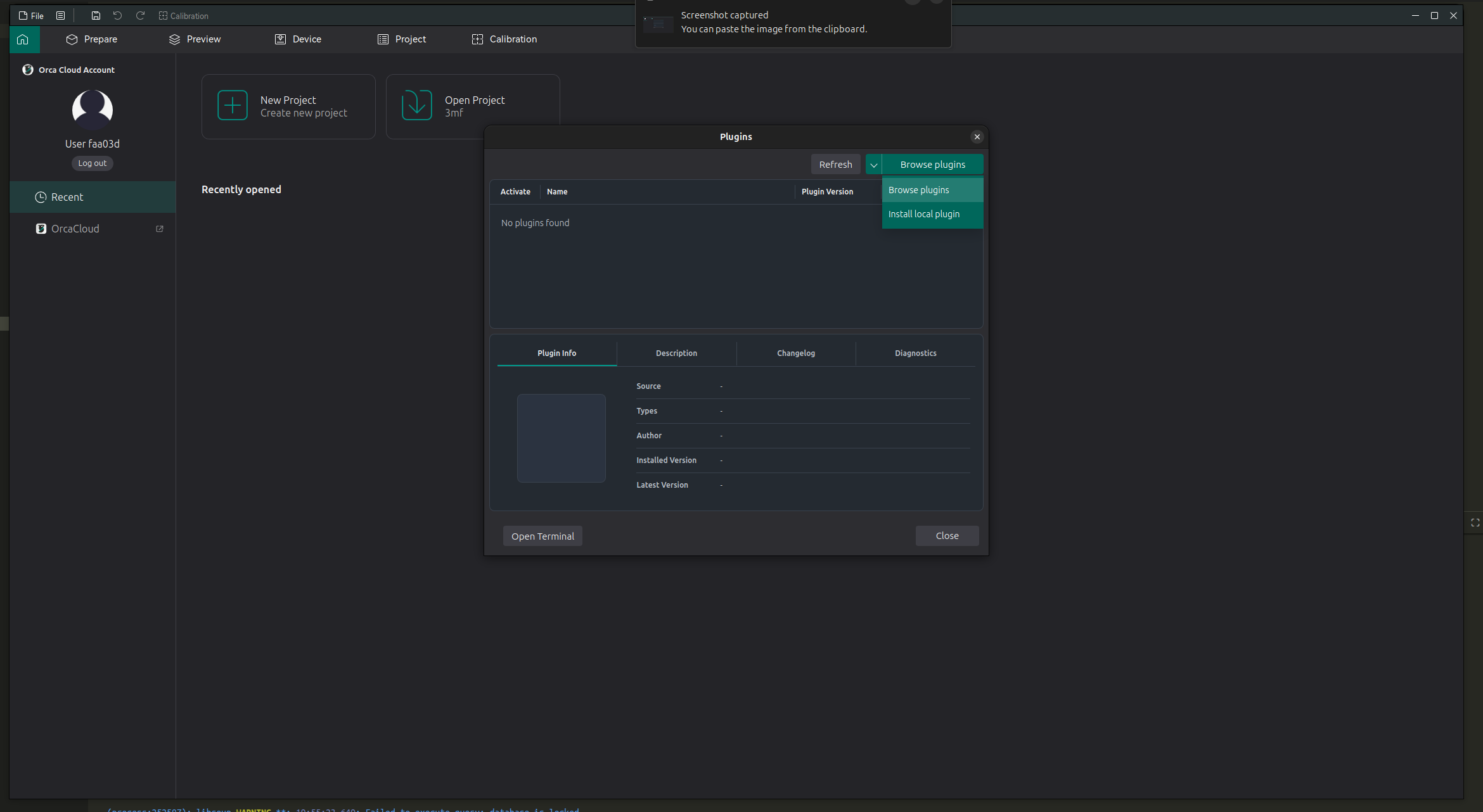
Use the split Browse plugins button to choose how you want to add plugins:
- Browse plugins opens the cloud plugin browser.
- Install local plugin installs a plugin file from your computer.
Note
Only install plugins from sources you trust. Plugins can interact with your files and print workflow.