Plugin Types
A plugin can provide one or more features. Expand a plugin row to see its plugin capabilities.
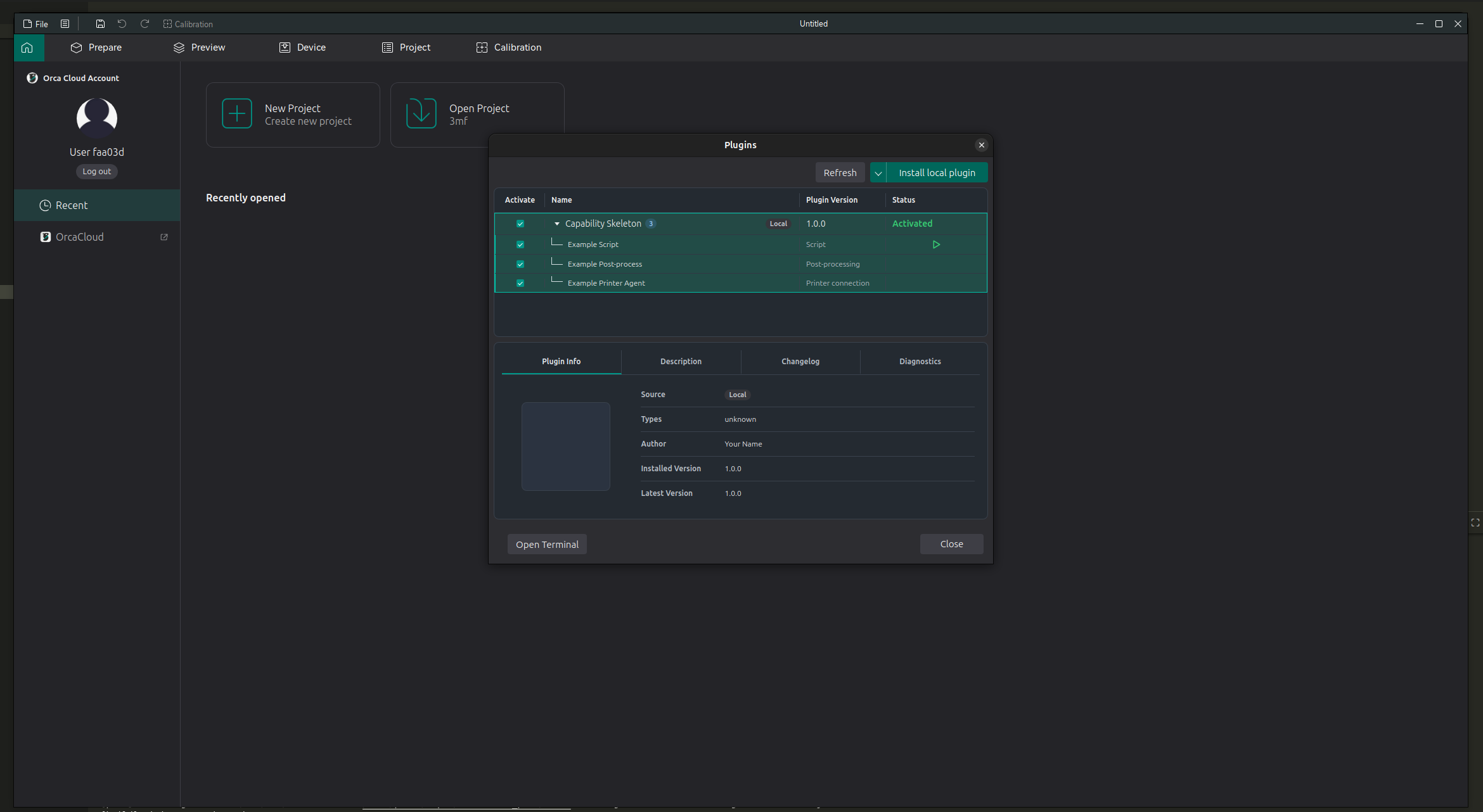
Script
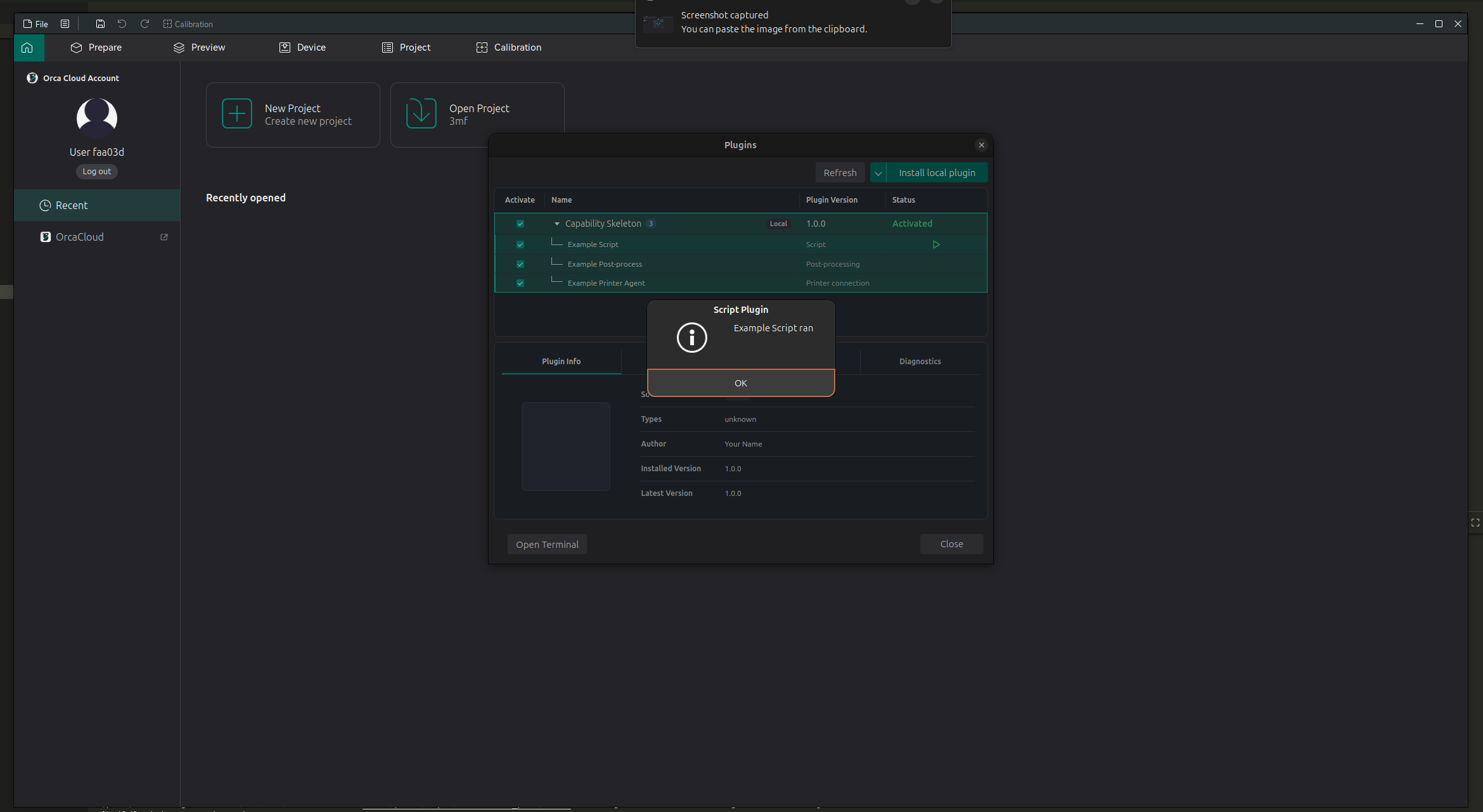
Script plugins are run manually from the Plugins window.
- Open File > Plugins.
- Expand the plugin.
- Find the script feature.
- Click the Run button.
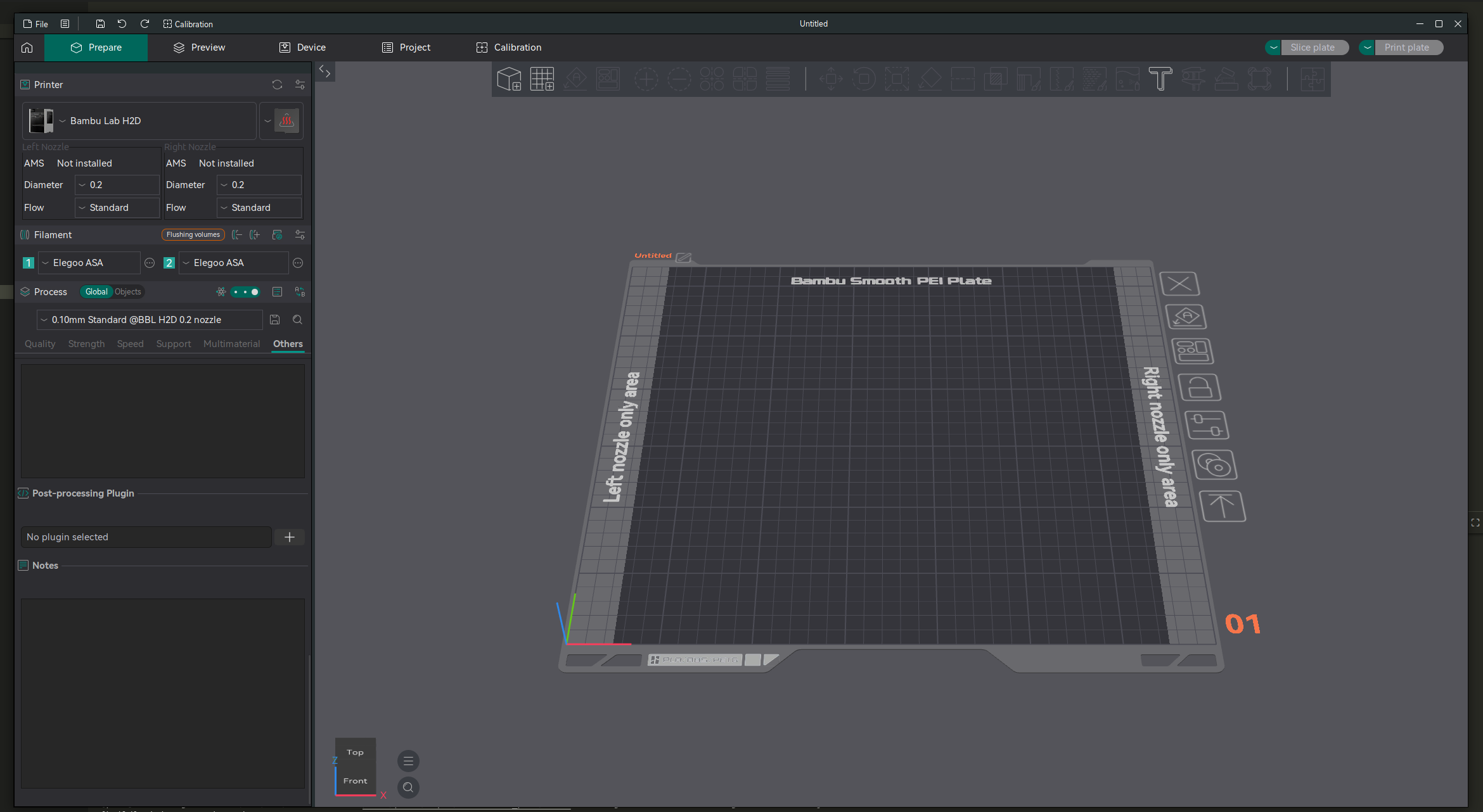
Post-processing
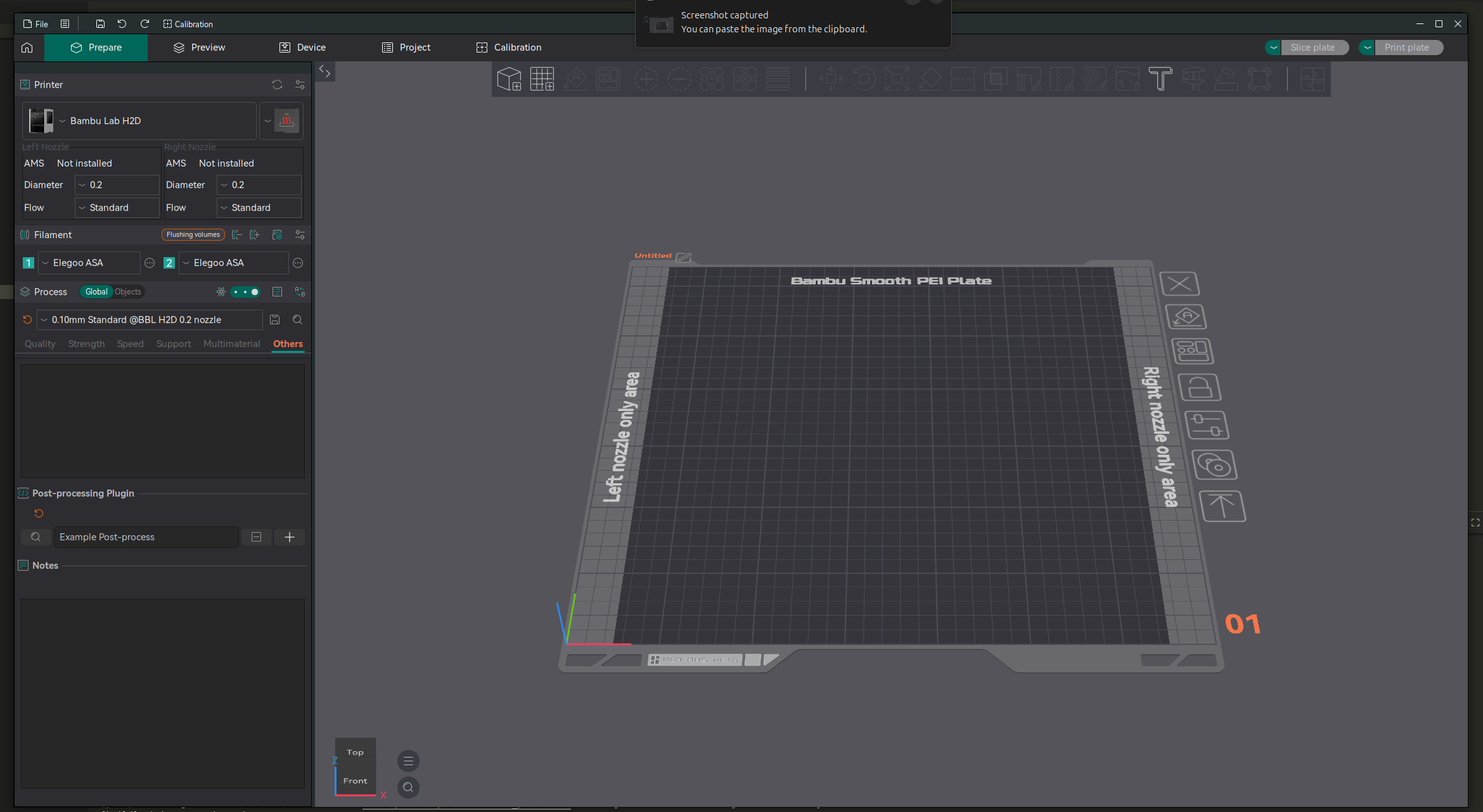
Post-processing plugins are selected from a process profile and run as part of the slicing/export workflow.
- Go to Prepare.
- Open the process settings.
- Go to Others.
- Find Post-processing Plugin.
- Click the + button.
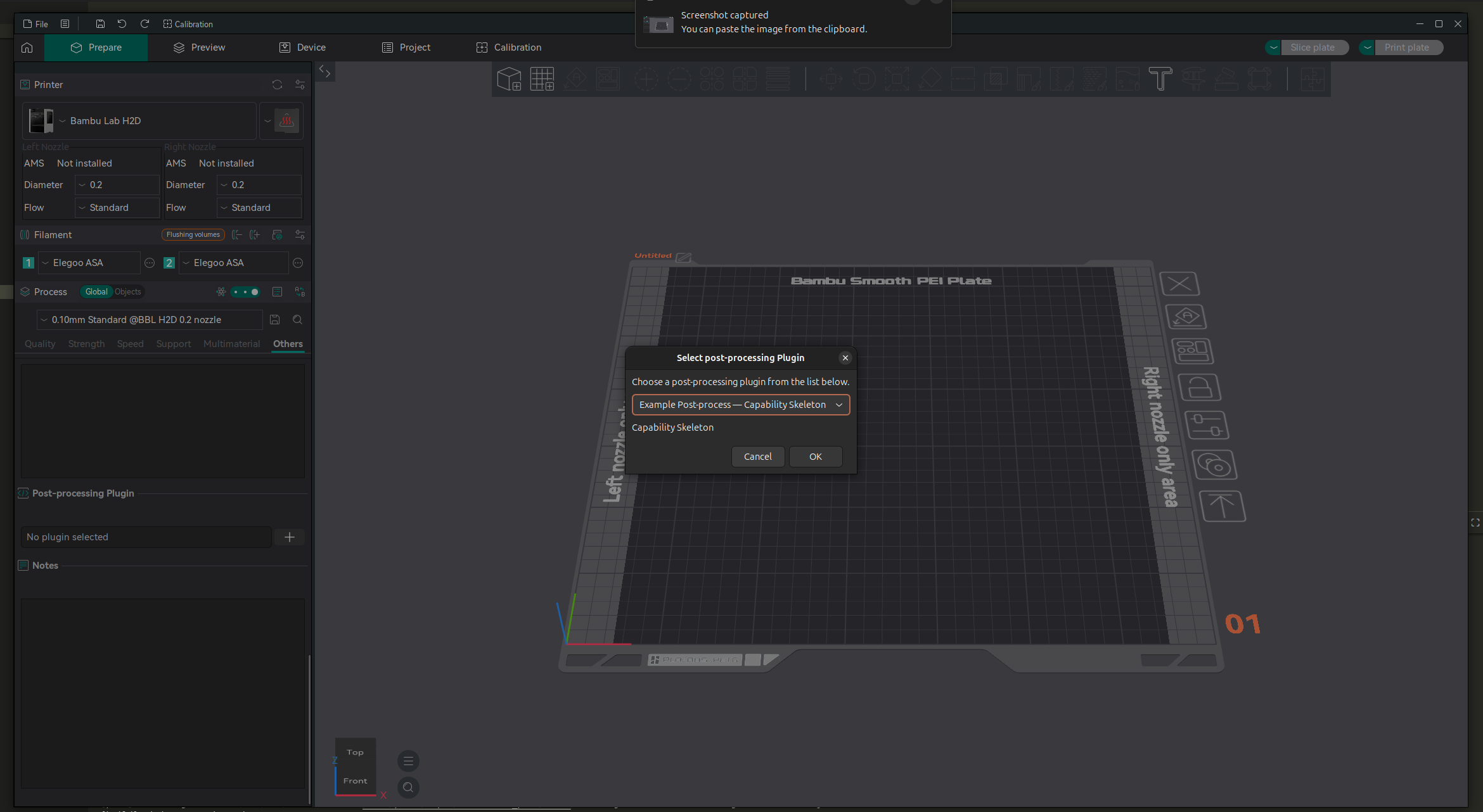
Choose a post-processing plugin from the list and click OK.
The selected plugin appears under Post-processing Plugin. It will be used when you slice or export with that process profile.
Printer Connection
Printer connection plugins add printer communication features. After activating a printer connection plugin, OrcaSlicer uses it where printer connection options are available. This is still WIP.
If the plugin has its own setup instructions, check the Description or Diagnostics tab in the Plugins window.