Strength Advanced
- Align directions to model
- Bridge infill direction
- Relative Bridge Angle
- Minimum sparse infill threshold
- Infill Combination
- Detect narrow internal solid infill
- Ensure vertical shell thickness
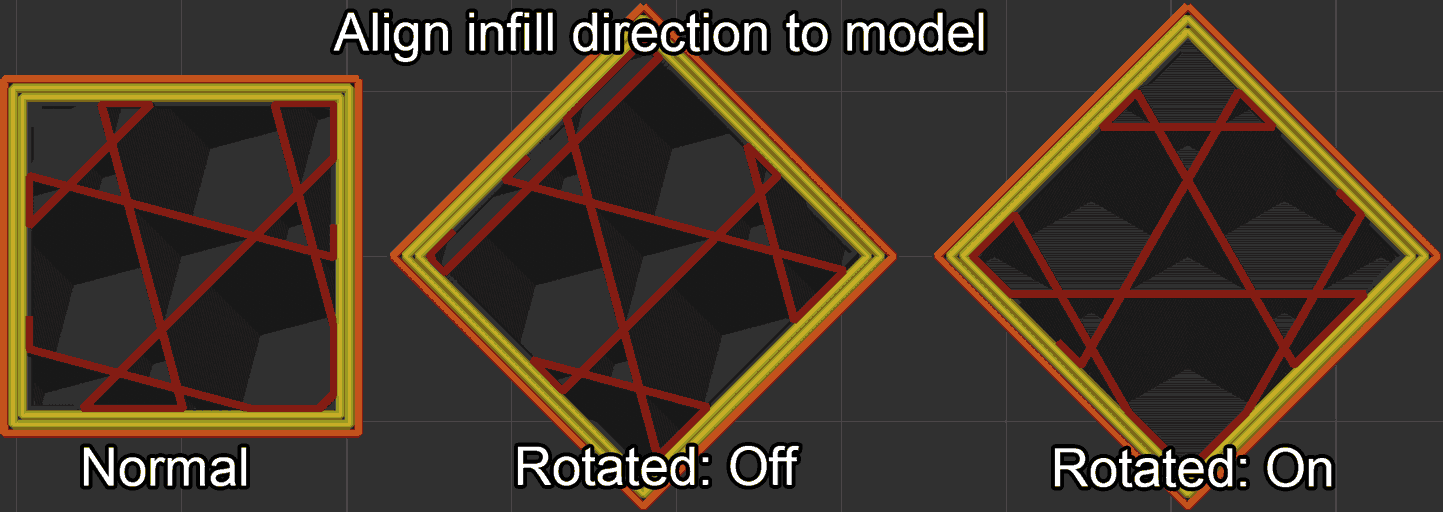
Align directions to model
Mode: Advanced.
Variable: align_infill_direction_to_model.
Type: Boolean.
CLI Example: --align-infill-direction-to-model=1.
Aligns infill, bridge, ironing and top/bottom surface fill directions to follow the model's orientation on the build plate.
When enabled, these directions rotate together with the model so the printed features keep their intended orientation relative to the part, preserving optimal strength and surface characteristics regardless of how the model is placed.
Bridge infill direction
Mode: Advanced.
Variables: bridge_angle, internal_bridge_angle.
Type: Float.
CLI Example: --bridge-angle=1 (same pattern for the other variables above).
If left to zero, the bridging angle will be calculated automatically for each specific bridge.
Otherwise the provided angle will be used according to:
- The absolute coordinates
- The absolute coordinates + Model rotation: If Align directions to model is enabled
- The optimal automatic angle + this value: If Relative Bridge Angle is enabled
Note
Use 180° for zero absolute angle.
Relative Bridge Angle
Mode: Advanced.
Variable: relative_bridge_angle.
Type: Boolean.
CLI Example: --relative-bridge-angle=1.
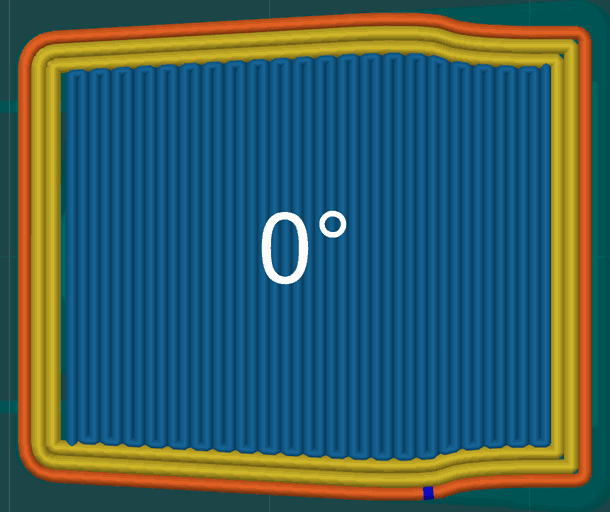
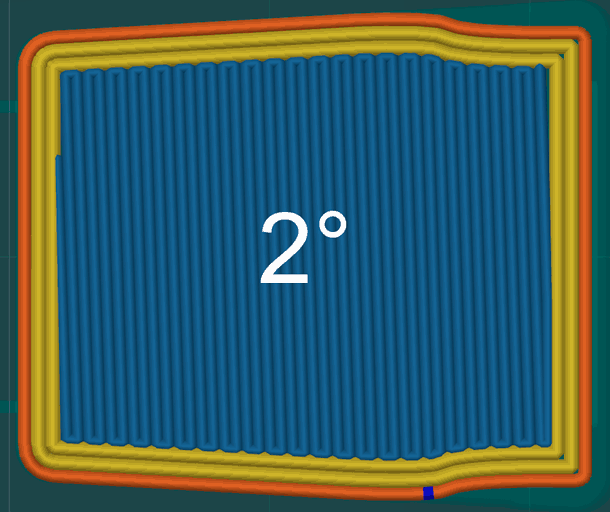
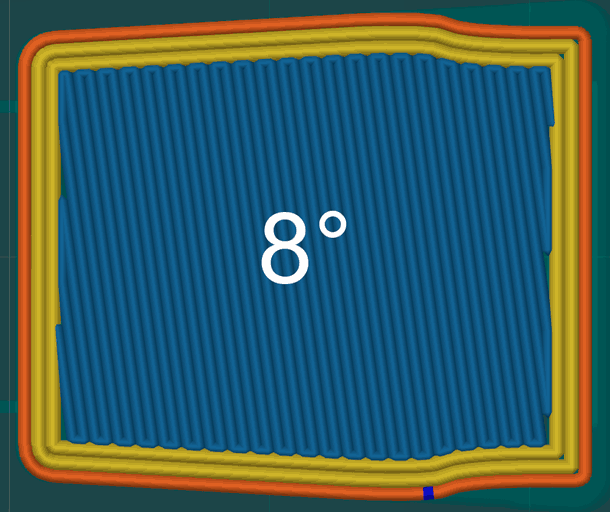
When enabled, the bridge angle values are added to the automatically calculated bridge direction instead of overriding it.
Recommended to add a small angle (<10°) to improve bridge covering in closed shapes.
Minimum sparse infill threshold
Mode: Advanced.
Variable: minimum_sparse_infill_area.
Type: Float.
CLI Example: --minimum-sparse-infill-area=1.
Sparse infill areas smaller than the threshold value are replaced by internal solid infill.
This setting helps to ensure that small areas of sparse infill do not compromise the strength of the print. It is particularly useful for models with intricate designs or small features where sparse infill may not provide sufficient support.
Infill Combination
Mode: Advanced.
Variable: infill_combination.
Type: Boolean.
CLI Example: --infill-combination=1.
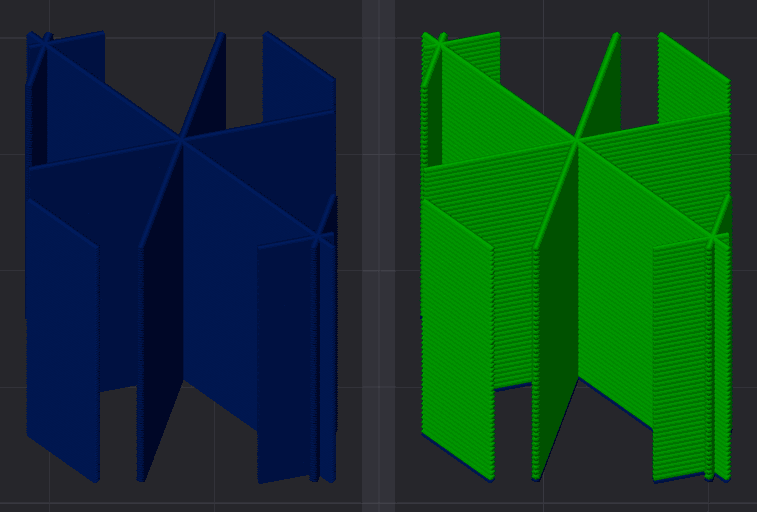
Automatically combine sparse infill of several layers so they print together and reduce print time and while increasing strength. While walls are still printed with the original layer height.
Max layer height
Mode: Advanced.
Variable: infill_combination_max_layer_height.
Type: Float or Percentage.
CLI Example: --infill-combination-max-layer-height=20%.
Maximum layer height for the combined sparse infill.
Set it to 0 or 100% to use the nozzle diameter (for maximum reduction in print time), or to a value of ~80% to maximize sparse infill strength.
The number of layers over which infill is combined is derived by dividing this value by the layer height and rounding down to the nearest decimal.
Use either absolute mm values (e.g., 0.32mm for a 0.4mm nozzle) or percentages (e.g., 80%). This value must not be larger than the nozzle diameter.
Detect narrow internal solid infill
Mode: Advanced.
Variable: detect_narrow_internal_solid_infill.
Type: Boolean.
CLI Example: --detect-narrow-internal-solid-infill=1.
This option auto-detects narrow internal solid infill areas. If enabled, the concentric pattern will be used in those areas to speed up printing. Otherwise, the rectilinear pattern will be used by default.
Ensure vertical shell thickness
Mode: Advanced.
Variable: ensure_vertical_shell_thickness.
Type: Choice.
Options: none, ensure_critical_only, ensure_moderate, ensure_all.
CLI Example: --ensure-vertical-shell-thickness=none.
Add solid infill near sloping surfaces to guarantee the vertical shell thickness (top and bottom solid layers).
- None: No solid infill will be added anywhere. Caution: Use this option carefully if your model has sloped surfaces.
- Critical Only: Avoid adding solid infill for walls.
- Moderate: Add solid infill for heavily sloping surfaces only.
- All (default): Add solid infill for all suitable sloping surfaces.