For creators
Publishing lets you share a repeatable configuration with a model. You choose which settings are included, embed whole filament presets, and require or suggest the materials a design needs.
Publishing a project
Opening the dialog
File → Publish 3MF…, or Ctrl/Cmd + Shift + E. (Needs at least one object on the plate.)
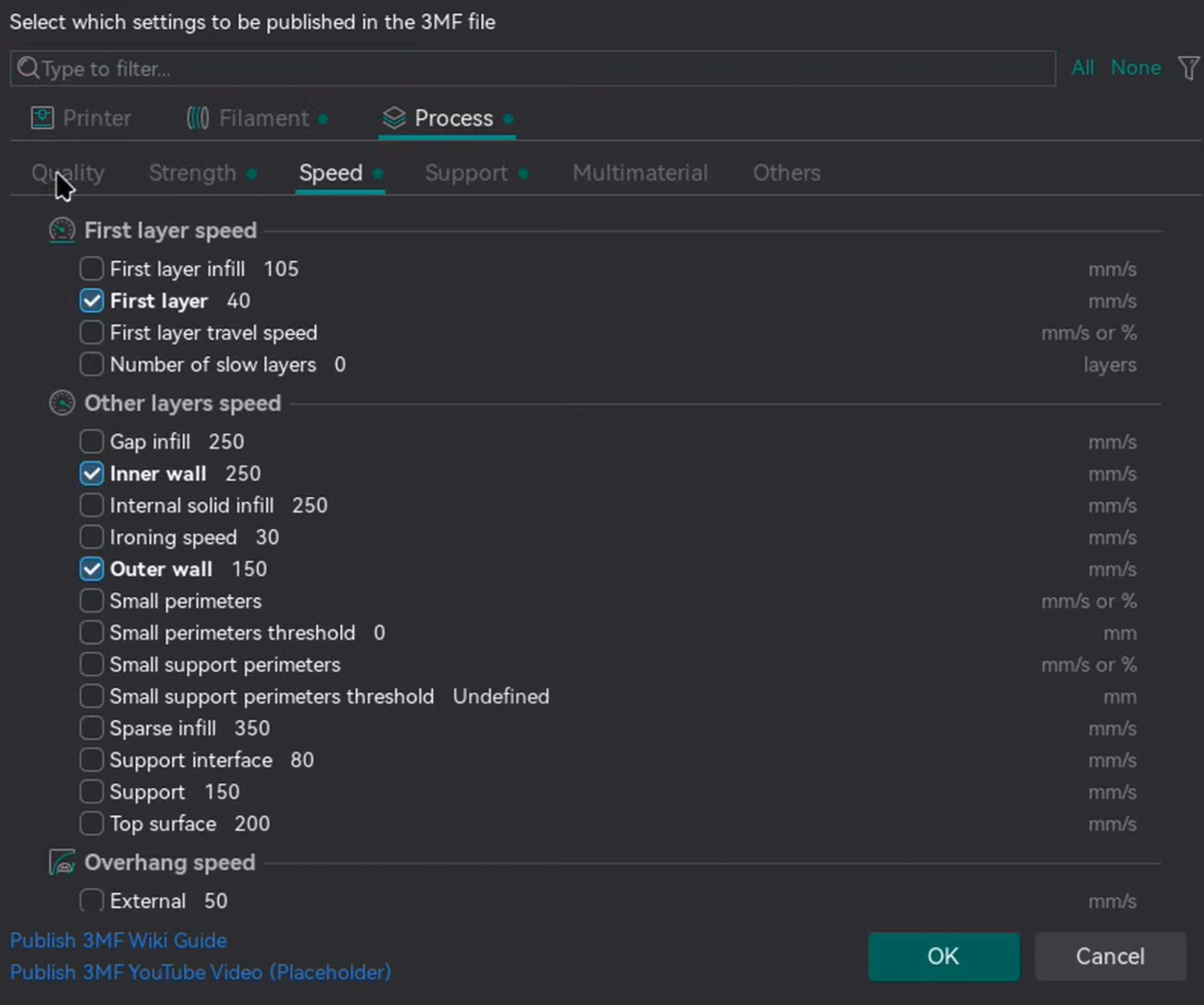
Settings that differ from your base presets are pre-checked and bold; the rest start unchecked.
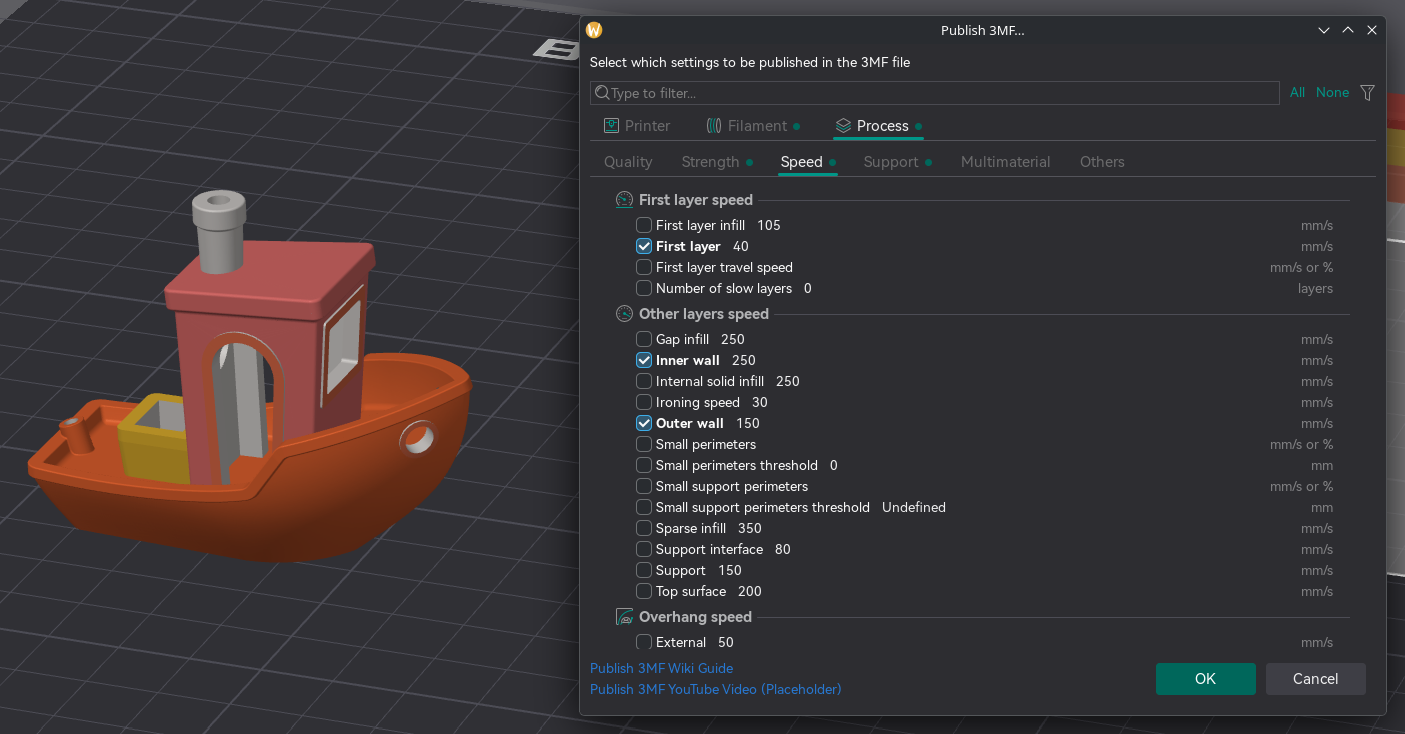
Choosing what to include
- Filter box ("Type to filter...").
- All / None buttons.
- Filter menu (right-click or the menu button): Select/Deselect All, Select/Deselect visible, and Filter selected / Filter non-selected.
If you check nothing, the file carries only the geometry.
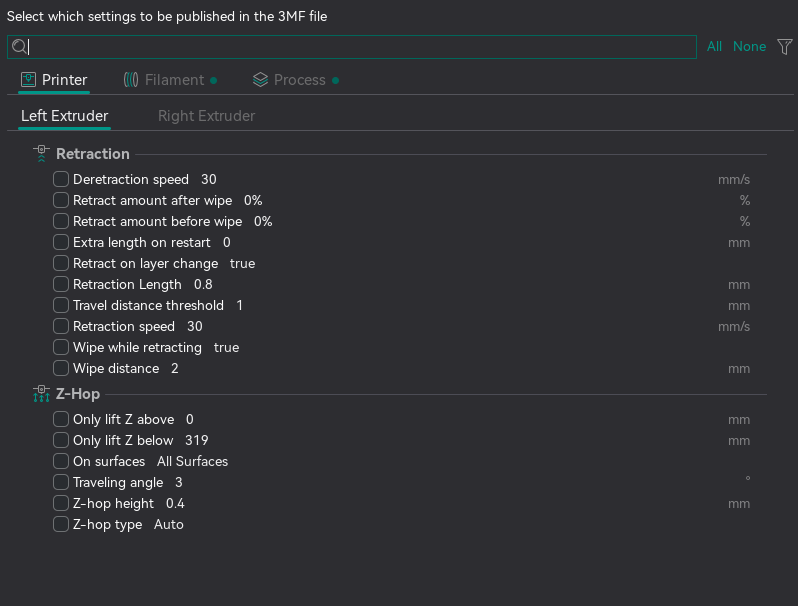
Printer tab
One tab per extruder, each listing that extruder's Retraction and Z-Hop values.
Filament tab
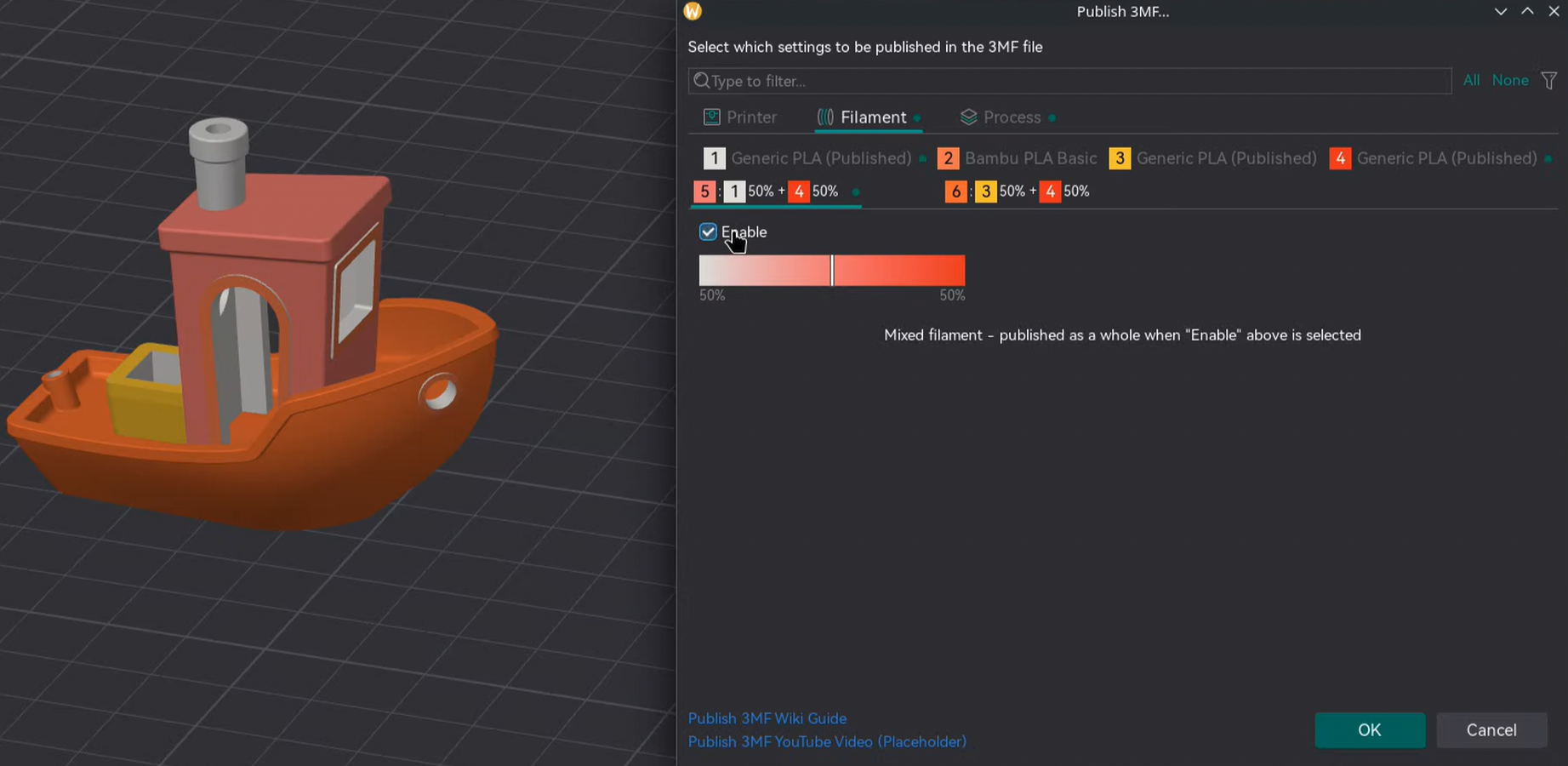
One tab per filament slot. A slot publishes nothing until Enable is ticked.
An enabled slot offers:
- Material requirements (these don't publish values — they constrain what the receiver applies):
- Color — the required filament colour.
- Type — the required material family (e.g.
PLA).
- Full Publish — embed the whole filament preset; disables the per-setting rows.
Mixed filaments
Enabling a particular mixed filament automatically selects the required filament components.
Note
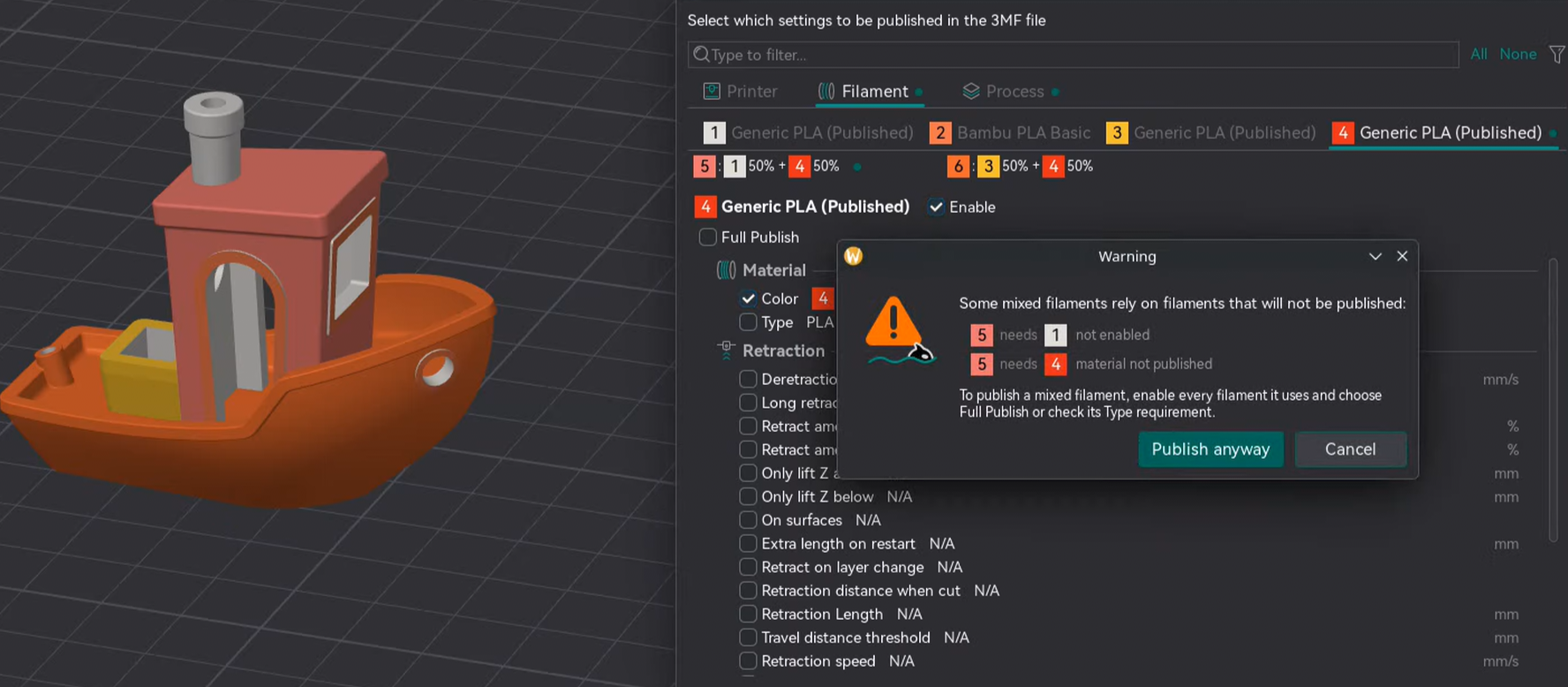
If a mixed filament is enabled, but its required components are either disabled or have their type unchecked, a warning message will be shown.
This does not prevent publishing.
Process tab
Mirrors the Process settings that you see in the sidebar.
Tips
- Publish only what matters. Include just the settings that affect how the model prints.
- Use Full Publish for filaments you tuned hard — it embeds the whole preset in the file.
- Name files clearly — OrcaSlicer suggests
.published.3mf. - Check the tab indicator dots to see what you've selected before OK.
Things to note
- A mixed filament needs its components to be published too — otherwise they can lose their material on the other side.
- Not every setting survives a round-trip — mismatches are skipped and reported after load.
- The receiver's preset library is never modified — Full Publish presets live only in the loaded project.
- Single-extruder printers get only the first extruder's values.